
Riverside studioAlex · Jun 18In progress
ONE CONNECTED BUSINESS PLATFORM
Bring projects, people and priorities into one connected workspace—from leadership decisions to the next step your team takes.
Product preview: this website does not activate unreleased workspace tools. Boards, tasks, comments, private file attachments and in-app notifications are released. Gantt/milestones, photo reports, editable documents, CSV import, templates, intake, advanced dashboards and automation shown in previews need their separate product release. Third-party connections and AI remain inactive.
Provider connections, AI generation and advanced automation remain inactive. No card collection, live trials or charges are enabled.

 Sam Morgan
Choose the responsibility you want to understand. Explore a populated example, then follow its dedicated page for the complete workflow.
Give work an owner, a priority and a date, then choose a view without duplicating the task.
Coordinate the space, creative packet and readiness work in one shared project.
The same fictional tasks, owners and due dates across each view.
PRIORITY → PLAN → RESPONSIBILITY
Break a business priority into work people can own. Keep responsibilities, dates, files and decisions close. Choose the view that helps the team act without creating a second version of the truth.
Explore projects, tasks and viewsSam MorganJun 18In reviewSam MorganJun 20Planned Jordan RiveraJun 26Planned
Table, Kanban and calendar use the same task records in the released app. This is a coded sample, not a live workspace.
UNDERSTAND THE NEXT HANDOFF
Duration-based work takes time. A milestone marks a target. Connect the two so teams can discuss what a changed commitment means before choosing how to adjust the plan.
Gantt, dependencies & baselines · product previewExplore schedulingSwipe or use the arrow keys to explore the full schedule.
Preview two affected dates before choosing to shift dependent work. No dates change automatically.
Connect projects, supplier commitments, stock-readiness and hiring responsibilities with shared tools.
Specialized purchasing, inventory and recruiting modules are planned.THE SIGNAL AND THE WORK BEHIND IT
Review priorities, responsible people and outstanding commitments across the projects and companies you’re authorized to see. Follow a signal into the work that needs attention.
Advanced executive views · previewRiverside studio · confirm delivery plan
 Alex LeeJun 18
Task progress, not financial performance
Sam MorganJun 18Follow-up recordedReview the project commitments and confirm the delivery responsibility.
Explore the work behind the viewIllustrative drill-down. Organization membership and roles limit the underlying work. Advanced executive views are previews; external business systems are not connected.
Company and workspace labels organize the work inside an organization. Membership and role permissions determine who may see or change it. An overview must never unlock another organization’s data.
OWNERSHIP WITH CONTINUITY
Bring responsible people into the same task conversation. Keep the supporting file close, record the decision and make the next owner and date clear. Leaders see accountability; teams keep the detail they need.
Explore collaboration Private attachment · releasedSam MorganJun 18
Direction: summer collection
Review: image selection and launch message
TASK CONVERSATION
The creative brief and image options are attached. Alex, which direction should we carry forward?
Use concept 02. Keep the warmer palette and simplify the headline.
Direction recorded. Sam owns the final artwork; I’ll update the launch checklist.
A SPECIALIZED WORKFLOW WITHIN THE BIGGER PICTURE
Connect original photos, annotated findings, assigned responsibilities and verification notes. Keep evidence tied to a project commitment, then prepare a report the team can reopen and revise.
Inspections & editable photo reports · previewExplore photo reporting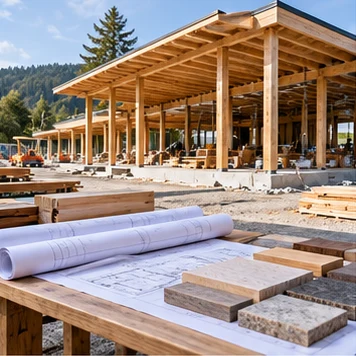 Follow-up evidence added
Entrance handover / Riverside studio
Original image, editable annotation and review notes stay with the finding.
Sam MorganJun 22 · follow-upNo calibrated measurement, takeoffs, certification or unrestricted public sharing.
REPEATABLE WORK, A THOUGHTFUL START
Collect the information a team needs, start from an appropriate template and review the resulting responsibilities. Public intake must be explicitly enabled and never grants submitters workspace access.
Forms, board templates & structured intake · previewExplore template examplesCreative review, supplier samples and store-readiness responsibilities.
The authorized team reviews the structure before creating work.
Registration creates an account. Workspace access follows an invitation or approved arrangement.
CONNECT THE NEXT RESPONSIBLE STEP
Connect a request to review, ownership and delivery. Explore file workflows and planned connections without confusing a familiar logo with an active integration. People stay in control of proposed actions.
Advanced automation, provider connections & AI remain inactiveExplore the integrations directoryNo external action or autonomous decision runs here. Scheduled workers and advanced rules remain inactive.
Released private file attachments keep documents with tasks. File-based import and provider synchronization are separate capabilities.
Explore integrationsBUSINESS CONTEXT, WITH A PURPOSE
The News & Trends vision connects relevant topics to company priorities, a team discussion and a possible next step. It is a planned service, not a live feed or verified source of current reporting.
News & Trends · plannedExplore News & TrendsAn example topic prompts the team to review supplier assumptions before confirming the delivery plan.
Sam: let’s review our supplier dates before the next commitment.No live sources, article timestamps, social metrics, generated summaries or scheduled delivery. Fixtures are not current news.
From a campaign to a contract-review packet, these are applications of shared tools—not claims that specialist business systems are already connected.
Bring the brief, creative decisions and delivery dates into one campaign people can follow.
Follow the complete scenarioConnect requests, supplier commitments and departmental handoffs to the priorities leadership needs to see.
Follow the complete scenarioKeep a rollout, its support context and the person responsible for each step in the same plan.
Follow the complete scenarioConnect feedback, specifications and commitments so the next product decision reaches the team doing the work.
Follow the complete scenarioBring proposal preparation, customer context and the delivery handoff into an accountable sequence.
Follow the complete scenarioConnect preparation, training materials and first-week responsibilities before the new colleague arrives.
Follow the complete scenarioConnect references, creative feedback and the consequence of a revision without separating the conversation from the work.
Follow the complete scenarioReview priorities across projects, understand the dates and follow each signal to its responsible lead.
Follow the complete scenarioOrganize supporting documents, reviewer questions and management follow-up without pretending to replace accounting.
Follow the complete scenarioCoordinate versions, comments and deadlines so an open document question has a responsible next step.
Follow the complete scenarioConnect project progress, outstanding decisions and accountable owners across the companies you are authorized to see.
Follow the complete scenarioChoose the workflow with a clear view of the tools and their availability.
Released boards, tasks, Table/Kanban/Calendar/due-date Timeline, comments, private attachments and in-app notifications connect everyday work. Advanced demonstrations carry Preview or Planned labels.
Supported views read the same task records. A new view is a different perspective, not a duplicate project. Advanced Gantt and milestone tools remain a separate product preview.
Companies/workspaces organize the work. Current organization membership, role and access determine which records and operations are authorized. A company label never grants access to another organization.
Not today. Shared tasks and documents can coordinate those responsibilities, but purchase transactions, inventory accounting, payroll and specialized recruiting systems are planned.
No. Those demonstrations are planned connections. No provider processes data, executes autonomous actions or starts a paid service from these public pages.
The existing signup/verification flow creates your account. Workspace access requires an invitation or approved arrangement. Prices and paid activation remain unavailable; no trial or charge is started.
BRING THE BUSINESS AND THE WORK TOGETHER
Bring your projects and people into PlanMerit.
Get started Plans & current availabilityProduct preview: this website does not activate unreleased workspace tools. Boards, tasks, comments, private file attachments and in-app notifications are released. Gantt/milestones, photo reports, editable documents, CSV import, templates, intake, advanced dashboards and automation shown in previews need their separate product release. Third-party connections and AI remain inactive.
Provider connections, AI generation and advanced automation remain inactive. No card collection, live trials or charges are enabled.